Every ChartQi user has their own private workspace. When a new dashboard is created, it is saved under "My workspace" by default.
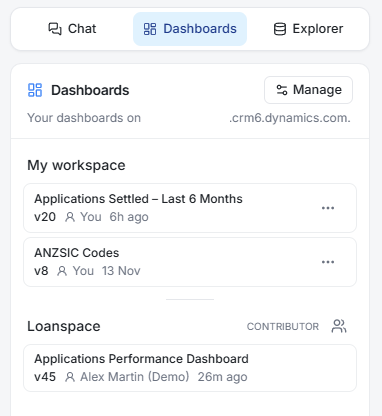 (opens full size in a new tab)
Project
- Project allows multiple users to work on multiple dashboards.
- Click on "Manage" to access Manage dashboard screen.
- Click "New project" to create one. By default, you are the admin for the project you created.
Invite project members
- Users may collaborate on project across different organisations. Only project admin may add/remove members.
- Click on "Members" icon next to the project to add/remove members.
- They receive an email notification when added. The project and its dashboards will appear under their "Dashboards" tab.