
Gift credits when a colleague runs low, or to give a new team member enough to get started.
- At the bottom of Chat panel, click on Coin icon showing your AI credits balance.
- Select Gift tab.
- Under Recipient, search for the user by name or email. You can gift only to users of the same organisation by your email domain.
- Enter the number of credits and, optionally, a note such as "For the quarterly report".
- Select Review gift review your input and selection.
- Select Send gift to complete the gifting.
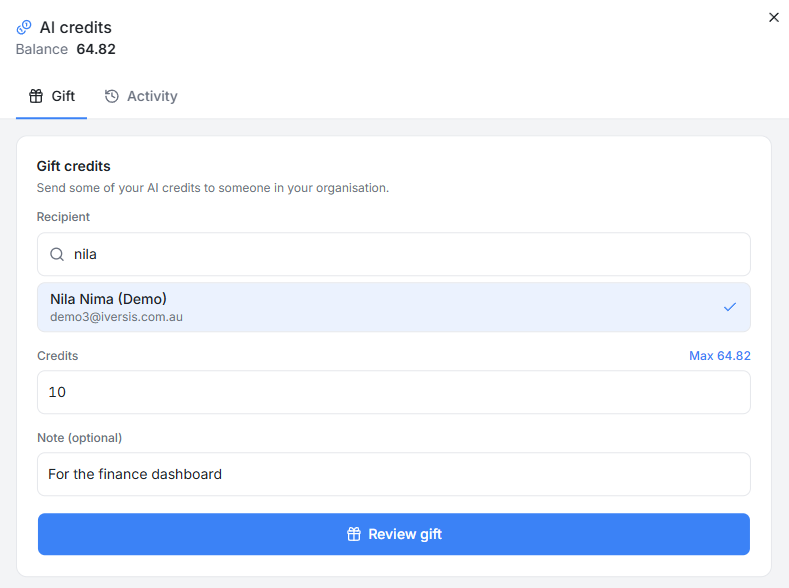 (opens full size in a new tab)
The credits move from your balance to theirs straight away.
Rules
- You can only gift to members of your own organisation, ie. users of the same email domain.
- You can gift up to your current balance. If you have no credits, the option is unavailable.
- Gifts cannot be reversed. Ask the recipient to gift them back if needed.
- Gifted credits behave like purchased credits and expire according to terms and conditions.