
Dynamics 365
- Select Deploy in the dashboard canvas toolbar.
- 'Package & deploy' dialog appears, select Dynamics 365 destination.
- Select the workspace/project and dashboards to deploy.
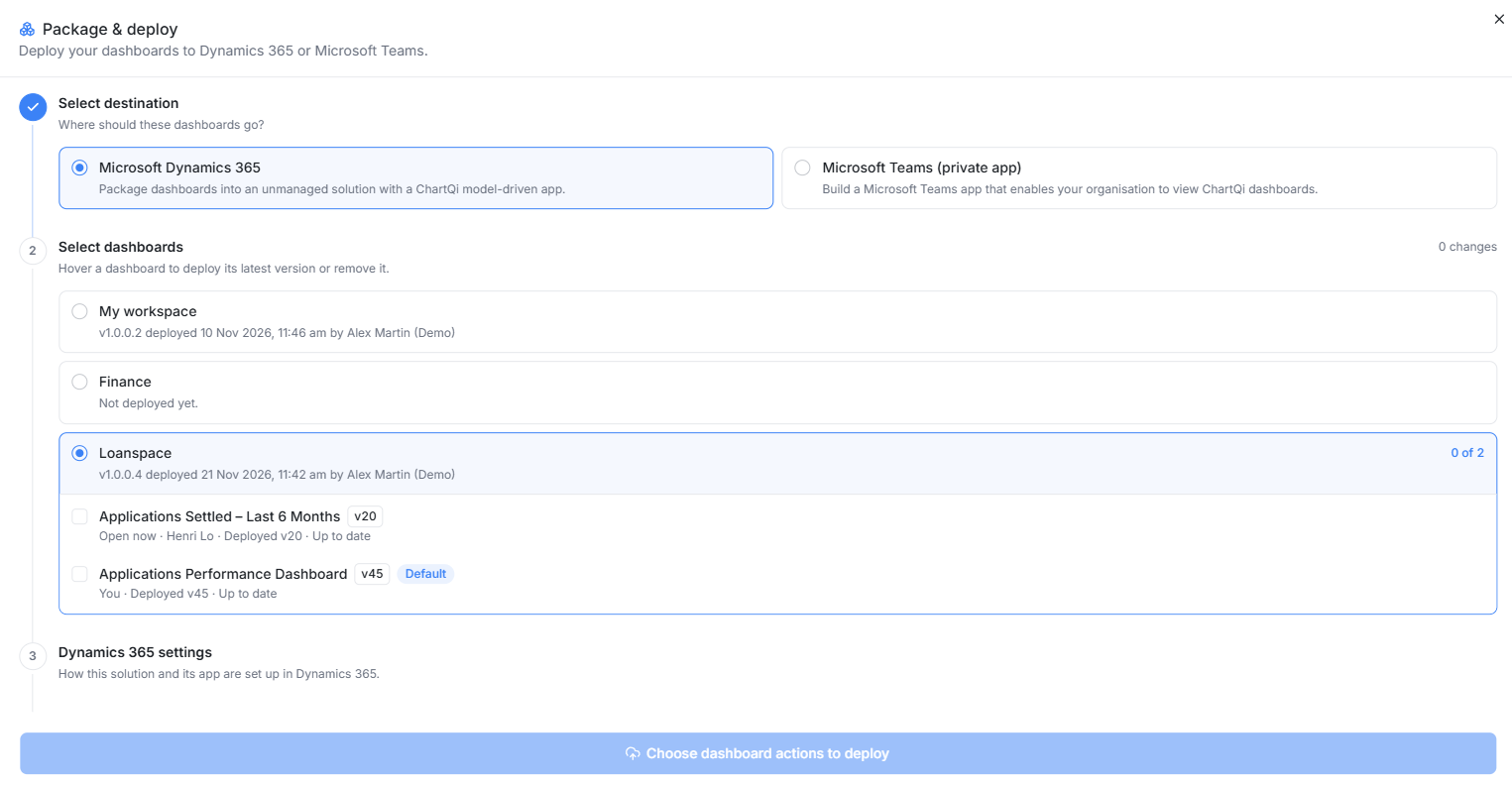 (opens full size in a new tab)
- Enter your preferred Dynamics 365 solution name and version. Direct Deploy will create a model-driven app named ChartQi. Select the user security roles to give access to the app as needed.
- Select Deploy to start deploying. Dashboards deployed are accessible in the ChartQi model-driven app by default. They can be added to other model-driven apps as required.
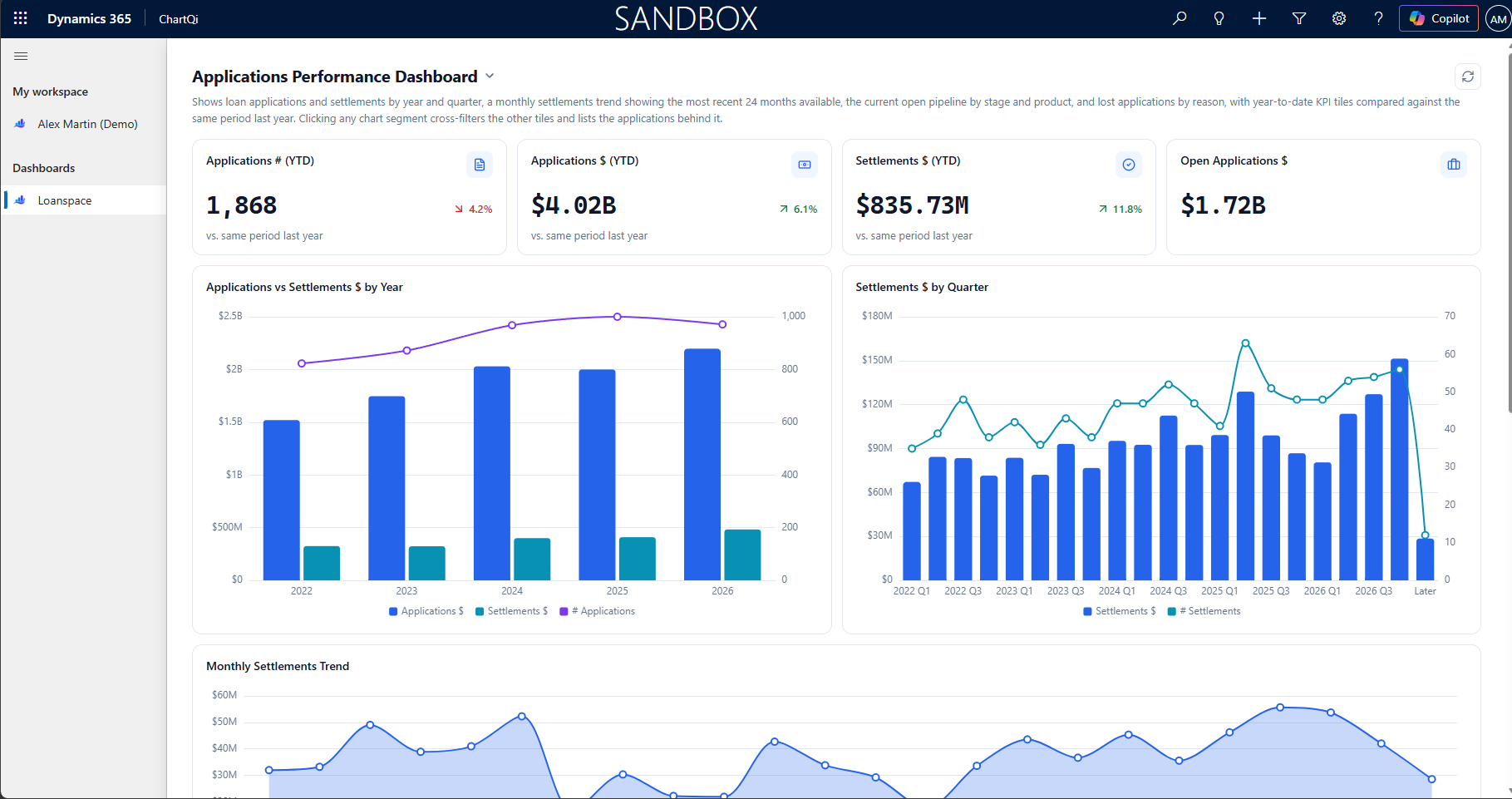 (opens full size in a new tab)
Always deploy to a test environment first and check the dashboard before promoting it to production.