
Sharing an environment lets other members of your organisation use its connection to build charts. They never see the client secret.
- Open Select environment, click on Share icon for the environment to share.
- Search for the user email you would like to share with. It can be shared with an existing ChartQi user.
- Select Share. Each person receives an email and sees the environment in their list.
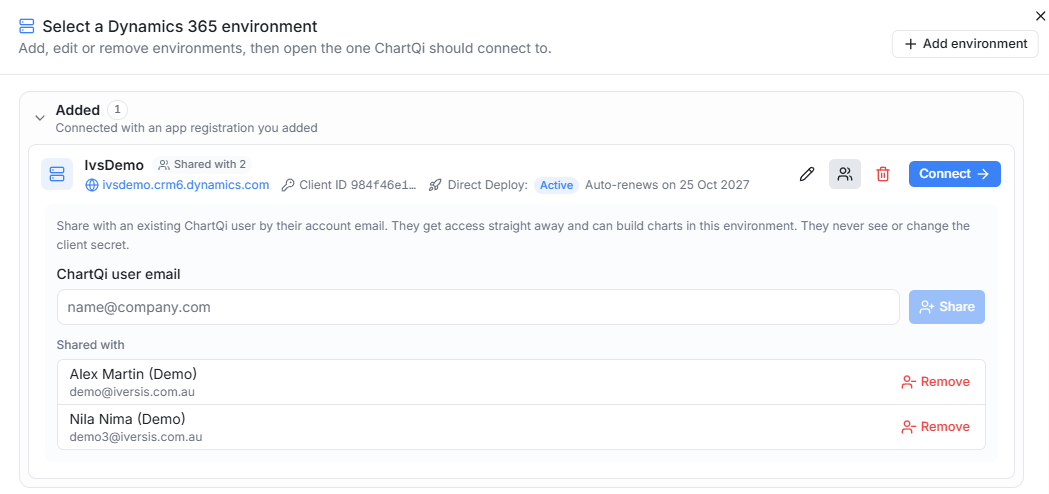 (opens full size in a new tab)
What shared members can do
- Build and preview charts and dashboards with the environment's connection.
- Deploy to Dynamucs 365 or Teams, if Direct Deploy is enabled for the environment URL.
What they cannot do
- View or change the connection credentials.
- Remove the environment or reshare it, unless they are an owner.
Stop sharing
Open Share again and remove the person. They lose access straight away. Dashboards already deployed to Dynamics 365 are not affected.