
Each message to the ChartQi agent uses AI credits. The amount depends how much work the request needs, for example how many tables the agent has to inspect.
What uses credits
- Chat requests to build or change a chart.
- Asking the agent to explain or troubleshoot a query.
What does not use credits
- Viewing, filtering and cross-filtering charts and dashboards.
- Deployed dashboards in Dynamics 365 and Teams.
- Saving, restoring versions and sharing.
Checking your AI credits usage
Your AI credits balance appears at the bottom of Chat panel. Click on it to view a breakdown of credit usage under Activity tab.
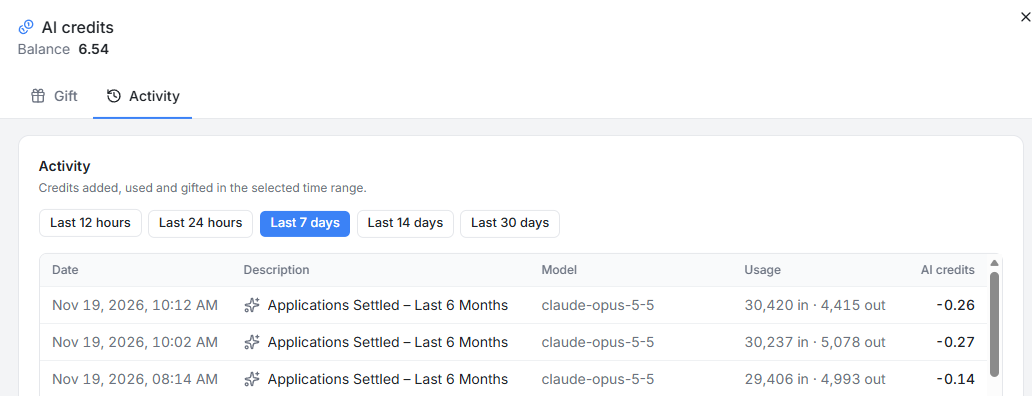 (opens full size in a new tab)
Plan credits and top-ups
- Monthly included AI credits in your plan automatically add to your balance when renewed.
- Credits you buy separately are available immediately upon successful payment.
Running out
When your balance reaches zero, AI chat is suspended until credits are added. Your charts, dashboards and deployments keep working.